
When running a promotion, it’s important to know how VenuePilot handles code limits so you can choose the right setup for your event.
NOTE: Setting a Max Uses limit on a discount code controls the number of orders, not the total quantity of tickets. For example, if you set a discount limit to 3, up to 3 customers can apply the code at checkout—even if their orders contain more than 3 tickets total.
If you want to offer a discount while strictly limiting the total number of tickets a customer can purchase, pairing an Access Code with a Presale is the best solution.
Setting Up Your Access Code & Discounted Ticket
Follow these steps to unlock hidden, discounted tickets on your main ticket page using an access code:
1. Create Your Protected Ticket & Presale
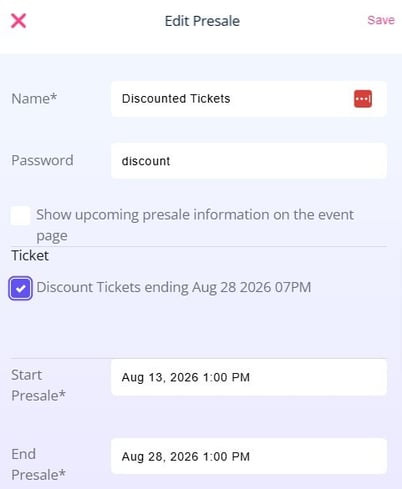
- Create the ticket and presale you want to protect.
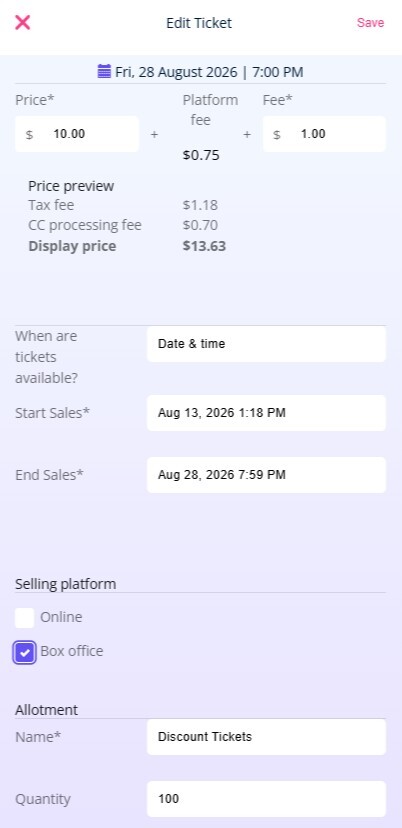
- Hide from general view: Add the ticket to the presale, but leave "Online" unchecked so it remains hidden on the public ticket page.
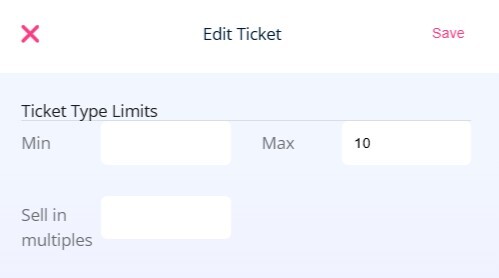
- Set ticket limits: Adjust the ticket's Ticket Type Limit to control the maximum number of tickets an individual buyer can purchase.
2. Create & Apply Your Discount Code
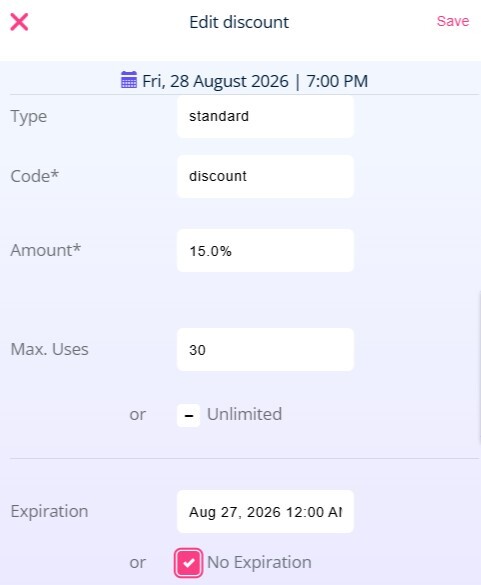
- Create the discount code: Go to the Discounts section at the event level. Choose your discount type ($ or %), set your usage/expiration limits (this is where you can set the cap on overall USES of the discount itself), and click Save.
- Link the discount to your ticket: Return to your hidden ticket type, click the pencil icon to edit, check the box for your newly created discount code in the Discounts section, and click Save.
- Distribute the code: Share the code directly with your intended customers.
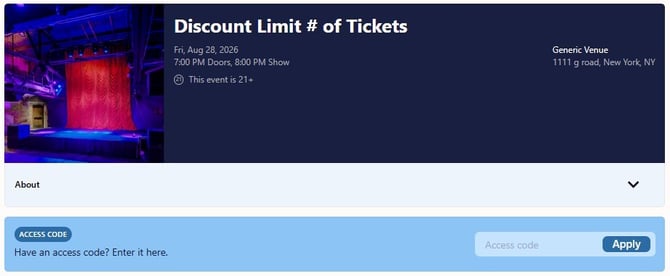
When patrons visit your main ticket link, they can enter the code into the Access Code field and click Apply to unlock the hidden ticket and its discount.
Tips & Advanced Configurations
- Presale Access: If your access-code tickets are available before the general onsale, the code effectively acts as a presale directly through your main ticket page.
- Tracking Links: If you need to track tickets sold through specific promotional channels or links, use a Standard Presale Link instead.
- Transition to General Onsale: To make the ticket available to everyone later, set a future onsale date on the ticket. It will stay safely hidden behind the access code until that date arrives.