---
title: "Cash Advances by VenuePilot: Short term Liquidity for Independent Venues"
description: The world of cash advances often comes with contracts and complicated terms. We believe there's a better way. We're reimagining how you access capital by making it entirely separate from a binding agreement. Our platform gives you the short-term liquidity you need to grow, leveraging your past sales and successes, all for a simple, clear fee of just 75 cents per ticket. No contracts, just straightforward financial flexibility.
---
[Skip to content](https://support.venuepilot.co/knowledge/cash-advances-in-venuepilot#main-content)
English
Show submenu for translations

Open main navigation
Close main navigation
- English
Show submenu for translations
- Contact us
Contact us
Search our Knowledge Base
- There are no suggestions because the search field is empty.
1. [VenuePilot Support](https://support.venuepilot.co/knowledge?hsLang=en)
2. [Integrations](https://support.venuepilot.co/knowledge/integrations?hsLang=en)
# Cash Advances by VenuePilot: Short term Liquidity for Independent Venues
## VenuePilot gives our clients the opportunity to take out cash loans on an event-level basis. Upfront cash advance amounts are given based on previous ticket sales data and projected sales data. These advances allow you to take out a loan that goes toward a specific event, and is paid as tickets sell without any price increases.
### What are our Cash Advances?
#### Many businesses find traditional cash advances restrictive, burdened by lengthy contracts and complex fine print. We're changing that by offering a truly different approach. Our goal is to provide you with quick access to capital, based on your proven track record, without tying you into a contract. You get the liquidity to meet your immediate needs, for an incredibly transparent 75 cents a ticket, and NO change in fee price or the price the customer pays. It's financial freedom, simplified.
##### To get started, we recommend first contacting us at clientsupport@venuepilot.co to help walk you through the process.
### Getting Set Up
First, go to Settings --\> Integrations, and click on "Connect" next to "VenuePilot Cash Advance" to fill out the initial application.
You'll need the following information for the whole process:
- Company tax ID
- Bank login details
- Select Venue
- Bank account number
- Bank account routing number
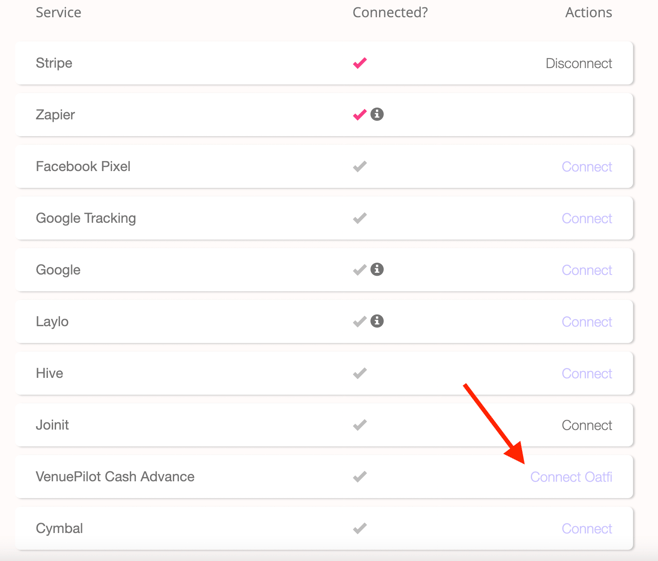
This will take you to this screen:
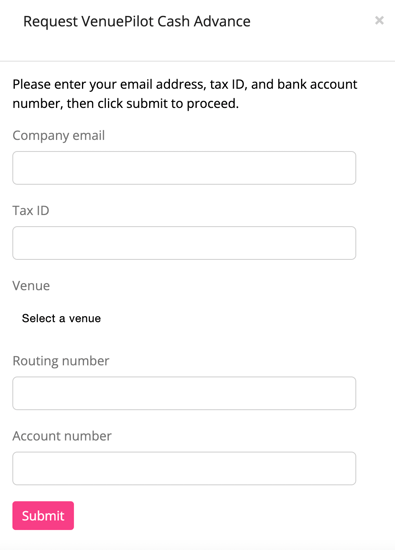
After inputting all information, you'll see the following popup:
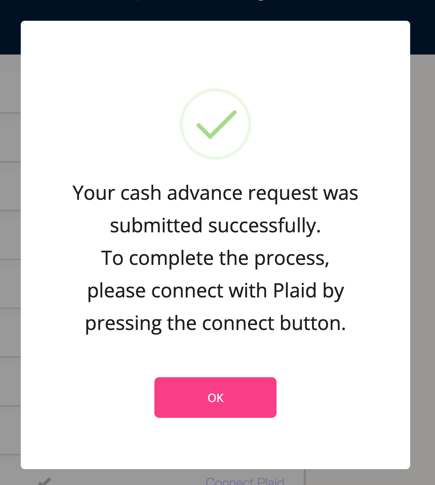
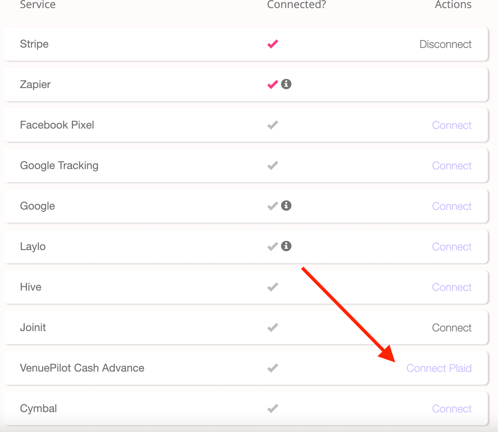
From here, click on "Connect Plaid":
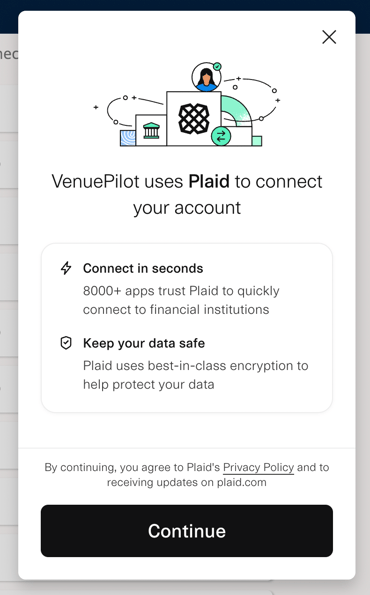
Click "Continue" on the popup:
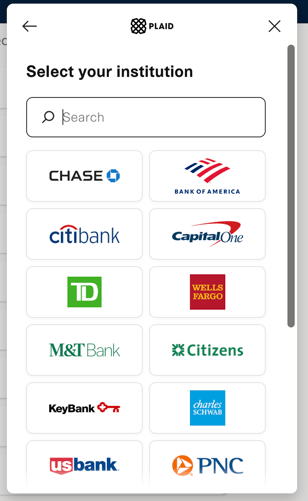
From here, find your bank and enter all login details:
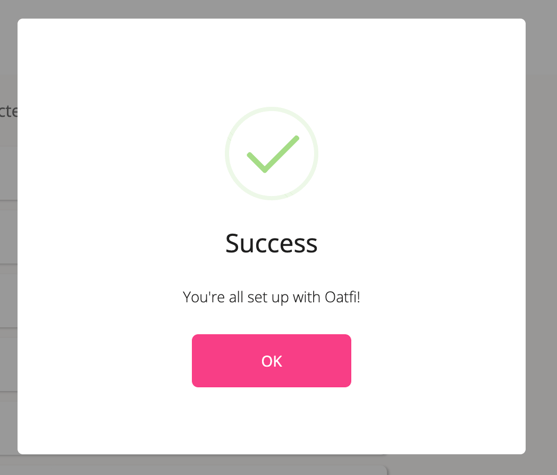
If this is successful, you'll see the following popup:
### Financing Events
After you've been approved by Oatfi, you'll be able to finance events in the ticketing page of the event in the "Finance" button:
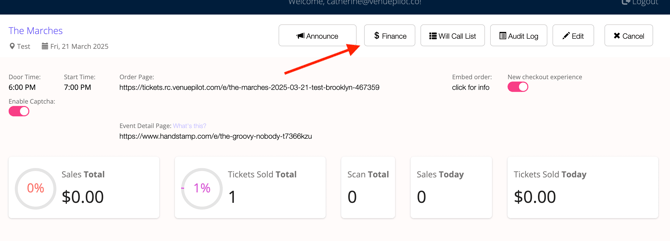
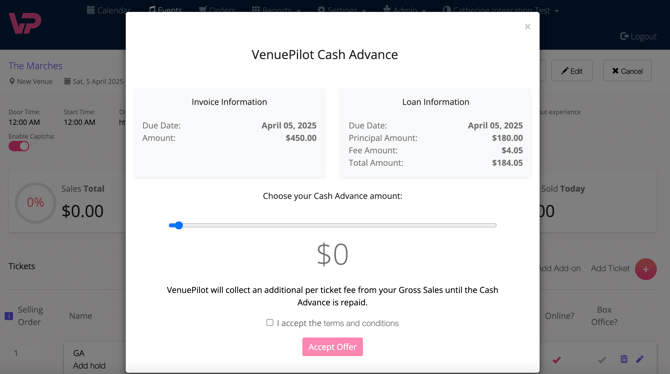
And you'll have the option to select the amount you want to borrow for this event:
Questions? Reach out to us at clientsupport@venuepilot.co.
NOTE: Stripe MUST be set up already in your account!
- [Ticket Buyers](https://support.venuepilot.co/knowledge/ticket-buyers?hsLang=en)
- [Get Started with VenuePilot](https://support.venuepilot.co/knowledge/get-started-with-venuepilot?hsLang=en#main-content)
- [Onboarding](https://support.venuepilot.co/knowledge/get-started-with-venuepilot?hsLang=en#onboarding)
- [Calendar](https://support.venuepilot.co/knowledge/calendar?hsLang=en)
- [Manage Events](https://support.venuepilot.co/knowledge/manage-events?hsLang=en#main-content)
- [Email Confirmations](https://support.venuepilot.co/knowledge/manage-events?hsLang=en#email-confirmations)
- [Access & Discount Codes](https://support.venuepilot.co/knowledge/manage-events?hsLang=en#access-discount-codes)
- [Ticketing](https://support.venuepilot.co/knowledge/manage-events?hsLang=en#ticketing)
- [Event Management](https://support.venuepilot.co/knowledge/manage-events?hsLang=en#event-management)
- [Templates & Budgets](https://support.venuepilot.co/knowledge/manage-events?hsLang=en#templates-budgets)
- [Marketing](https://support.venuepilot.co/knowledge/marketing?hsLang=en#main-content)
- [Pixels](https://support.venuepilot.co/knowledge/marketing?hsLang=en#pixels)
- [Box Office & Scanning](https://support.venuepilot.co/knowledge/box-office-scanning?hsLang=en#main-content)
- [Box Office Reporting](https://support.venuepilot.co/knowledge/box-office-scanning?hsLang=en#box-office-reporting)
- [Selling](https://support.venuepilot.co/knowledge/box-office-scanning?hsLang=en#selling)
- [Scanning](https://support.venuepilot.co/knowledge/box-office-scanning?hsLang=en#scanning)
- [Reports](https://support.venuepilot.co/knowledge/reports?hsLang=en)
- [Hardware & IT](https://support.venuepilot.co/knowledge/hardware-it?hsLang=en)
- [Integrations](https://support.venuepilot.co/knowledge/integrations?hsLang=en)
- [Website integrations](https://support.venuepilot.co/knowledge/website-integrations?hsLang=en)
- [VenuePilot University: Producing and Managing Independent Events](https://support.venuepilot.co/knowledge/venuepilot-university-producing-and-managing-independent-events?hsLang=en)
- [Announcements](https://support.venuepilot.co/knowledge/announcements?hsLang=en)
[](http://venuepilot.com)
[mailto:info@venuepilot.co](mailto:info@venuepilot.co)
Copyright © 2026, VenuePilot